
11 OpenRouter Alternatives in 2026: APIs, Gateways and Proxies
Updated November 4, 2026. Pricing and plan details were checked against the linked provider pages.
OpenRouter gives you access to more than 680 AI models from over 80 providers through a single API key, covering text, image, video, and speech. But it's not your only option. Depending on what you're looking for in an API provider, another platform might be a better fit.
In this article we're going to break down 11 OpenRouter alternatives and compare their fees, features and compatibility with the OpenAI SDK.
Why Look for an OpenRouter Alternative?
The main reasons to consider alternatives to OpenRouter are pricing, usage limits, and data residency requirements. Here's what OpenRouter currently charges (as of November 2, 2026):
| Inference | Provider's price without markup |
|---|---|
| Credit purchase fee | 5.5% on Standard (minimum $0.80), 8% on Business |
| Bring your own key (BYOK) | Free up to $25,000/month in inference, then 5% |
| Free models | 20 requests/minute and 50/day; 1,000/day after purchasing $10 in credits |
| Refunds | Within 24 hours for unused credits; platform fees and crypto payments are nonrefundable |
| Credit expiration | Unused credits may expire after one year |
| EU in-region routing | Business and Enterprise only |
| Payment methods | Cards, AliPay, and USDC |
The 5.5% fee is relatively small, but the $0.80 minimum makes smaller top-ups more expensive. For example, you'll pay an 8% fee on a $10 purchase. There are also restrictions worth considering. EU in-region routing requires a Business or Enterprise plan, and the Business plan increases the credit purchase fee to 8%. Refunds are limited to the first 24 hours, and unused credits may expire after a year.
In August 2026, Stripe announced an agreement to acquire OpenRouter, although it didn't disclose the deal terms or a closing date. The acquisition doesn't necessarily mean anything will change for developers, but it's another reason to compare providers before committing to one.
OpenRouter Alternatives at a Glance
The table below compares the best OpenRouter alternatives at a glance:
| Platform | Type | Token billing | BYOK | Pricing | OpenAI-compatible | Self-hosted | Best for |
|---|---|---|---|---|---|---|---|
| OpenRouter | Unified API | OpenRouter | Optional | 5.5% credit purchase fee ($0.80 minimum); 8% on Business. BYOK free up to $25K/month, then 5% | Yes | No | Access to 680+ models, including free ones |
| AI/ML API | Unified API | AI/ML API | No | Pay-as-you-go at published model rates; no top-up fee; $20 minimum top-up; no subscription or credit expiration | Yes | No | AI models and 1,000+ agent tools under one account |
| Requesty | Unified API | Requesty | Optional | 5% usage markup; 200 free-model requests/day on Free | Yes | No | Multi-model access with EU data residency |
| Vercel AI Gateway | Unified API | Vercel | Optional | No token markup; payment processing fees apply. BYOK is free | Yes | No | Vercel apps and AI SDK projects |
| Portkey | AI gateway | Your providers | Yes | Free: 10K logs/month; Production: $49/month | Yes | Yes | Request monitoring, access controls, and guardrails |
| Cloudflare AI Gateway | AI gateway | Your providers or Cloudflare | Optional | Free core features; 5% fee on Unified Billing credits | Yes | No | Apps already using Cloudflare |
| TrueFoundry | AI gateway | Your providers | Yes | Free for 3 users; Pro: $25/user/month; no token markup | Yes | Enterprise | Private-cloud deployments and enterprise controls |
| Kong AI Gateway | AI gateway | Your providers | Yes | Konnect Plus: from $25/month + usage | Yes | Yes | Teams already using Kong |
| LiteLLM | Self-hosted proxy | Your providers | Yes | Free (MIT license); paid Enterprise edition | Yes | Yes | Self-hosted routing and full infrastructure control |
| Together AI | Inference provider | Together AI | No | Per token (serverless) or GPU-hour (dedicated) | Yes | No | Open-weight models and fine-tuning |
| Fireworks AI | Inference provider | Fireworks AI | No | Per token (serverless) or dedicated GPU pricing | Yes | No | Fast inference and dedicated model deployments |
| Replicate | Inference provider | Replicate | No | Per second of compute; some models priced per output or token | No | No | Community models and custom deployments |
Types of OpenRouter Alternatives
OpenRouter is a hosted unified API that lets you access AI models from different providers through a single endpoint. Instead of integrating each provider's API separately, you can use one API and manage your usage and billing in one place. Several OpenRouter competitors offer similar functionality, although they differ in how they provide access to models:
- Hosted unified APIs
- AI gateways
- Self-hosted proxies
- Inference providers
Hosted Unified APIs: Sites Like OpenRouter
Hosted unified APIs work much like OpenRouter. Services such as AI/ML API, Requesty, and Vercel AI Gateway give you access to models from multiple providers through a single API, so you don't need to create separate accounts or manage multiple integrations.
AI/ML API
AI/ML API is a hosted unified API we've built that provides access to over 500 AI models for text, image, video, speech, and embedding tasks that you can use to power your app or to give your AI agent a unified access point to over 1,000 ready-made tools.
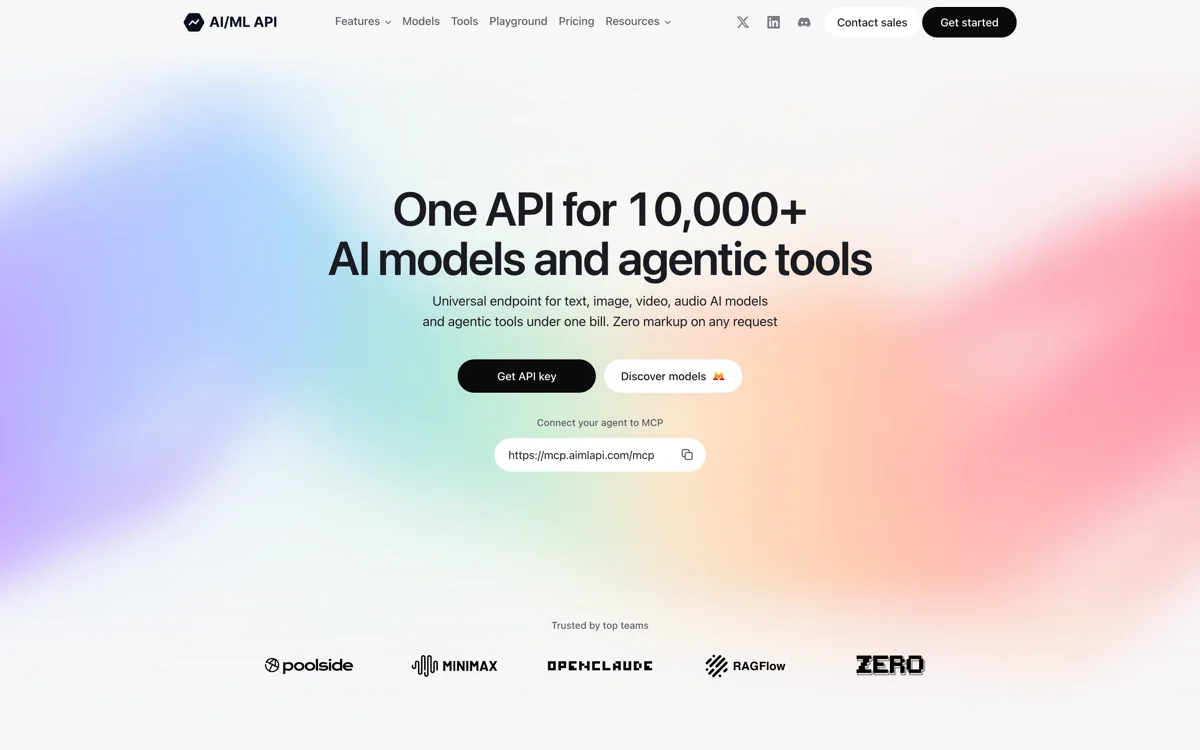
The API supports the OpenAI Chat Completions and Responses formats, as well as the Anthropic Messages API. This means you can use it with applications built on either the OpenAI or Anthropic SDK.
AI/ML API uses pay-as-you-go pricing, with no subscription fees and published per-model rates. There's also no fee for adding credits, while OpenRouter charges at least 5.5% on each purchase. You can add credits starting at $20 using a card, PayPal, or crypto. Unlike OpenRouter, which reserves the right to expire unused credits after a year, purchased AI/ML API credits don't expire.
AI/ML API also has free models, such as Nemotron 3.5 Lightning. To use them, you only need to add a valid card to your account.
Another feature is built-in model routing. With the Dynamic Router, you describe groups of models in plain English, and the API selects a group for each request.
There are also two ready-made routing options:
- Jev Router
- d1 Router
These routers sort requests by difficulty and send simple ones to cheaper, faster models. With Jev Router, a simple request costs about 32 times less than the same request sent to Claude Opus 5.5. We test this in practice later in the article.
AI/ML API is also one of the best OpenRouter alternatives for coding agents. The service offers a CLI that can configure several coding agents automatically, so you don't have to enter API settings manually.
For example, to connect Cline, all you need to do is to select OpenAI Compatible as the API provider, enter https://api.aimlapi.com/v1 as the base URL, and add your API key. Alternatively, run npx aimlapi cline to configure it automatically. This updates the shared provider settings used by Cline's CLI, VS Code, and JetBrains extensions. Other coding agents are equally easy to connect, including:
- Claude Code
- OpenCode
- Kilo Code
- Aider
- And many others
AI/ML API also runs its own MCP server, so you can connect it to Claude Code, Claude Desktop, Cursor, and other MCP clients. Your agent can then compare models, generate text, images, video, and audio, and check your balance right from the chat, or to connect your agent to the Toolbox, a catalog of over 1,000 ready-made tools for web search, page extraction, screenshots, news, social media, company data, finance, and SEO.
Many of these tools can replace a separate SaaS subscription. For example, an agent can pull keyword volumes, backlinks, and competitor traffic from Ahrefs through AI/ML API, and you only pay for the requests it makes, without buying a $249/month Ahrefs Standard plan.
For companies, AI/ML API offers Enterprise plans with custom pricing. They include dedicated servers, custom or private models, unlimited RPM and TPM, and extended data storage. Enterprise customers also get a personal account manager, a shared Slack channel, and help with team training and integration. The team can also build features on request.
When to choose AI/ML API
AI/ML API is a good alternative if you want AI models and over 1,000 agent tools under one account, with published per-model pricing and no top-up fee. Jev Router lowers the bill further by sending simple requests to cheaper models. AI/ML API also suits teams that build with agents. The CLI sets up coding agents with one command, and the MCP server connects Claude, Cursor, and other clients to both models and tools.
Requesty
Requesty is one of the closest alternatives to OpenRouter, with access to over 600 models through a single OpenAI-compatible API. It offers a free plan with 200 requests per day to free models, without requiring a credit card. Paid plans also support bringing your own API keys.
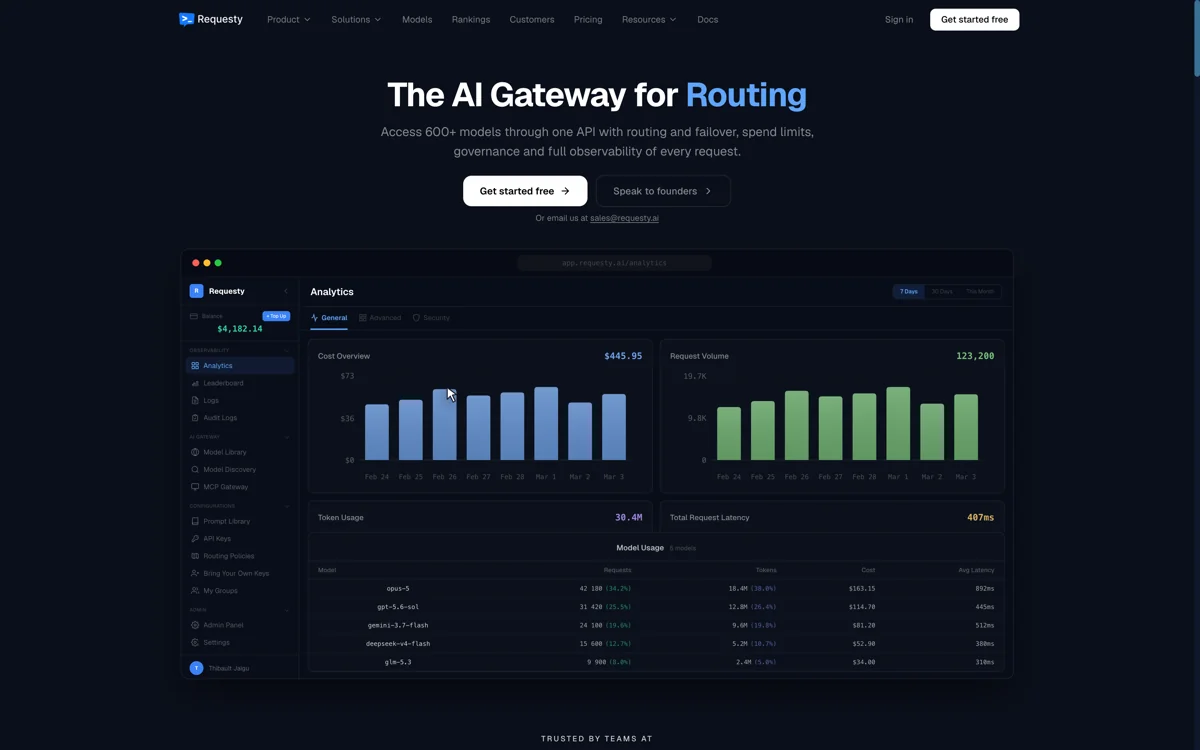
Requesty charges a 5% markup on model usage, compared to OpenRouter's 5.5% fee on credit purchases. The difference is small, so pricing alone isn't much of a reason to switch.
One advantage of Requesty is EU data residency, which is available on every plan, including the free one. OpenRouter, by comparison, requires a Business or Enterprise plan for EU in-region routing, with an 8% fee on credit purchases for Business.
Vercel AI Gateway
Vercel AI Gateway gives you access to AI models at their providers' list prices, with no token markup or platform fee. You purchase AI Gateway Credits, which are deducted as you make requests. Payment processing fees still apply, and some optional features cost extra. For example, team-wide zero data retention costs $0.10 per 1,000 requests.
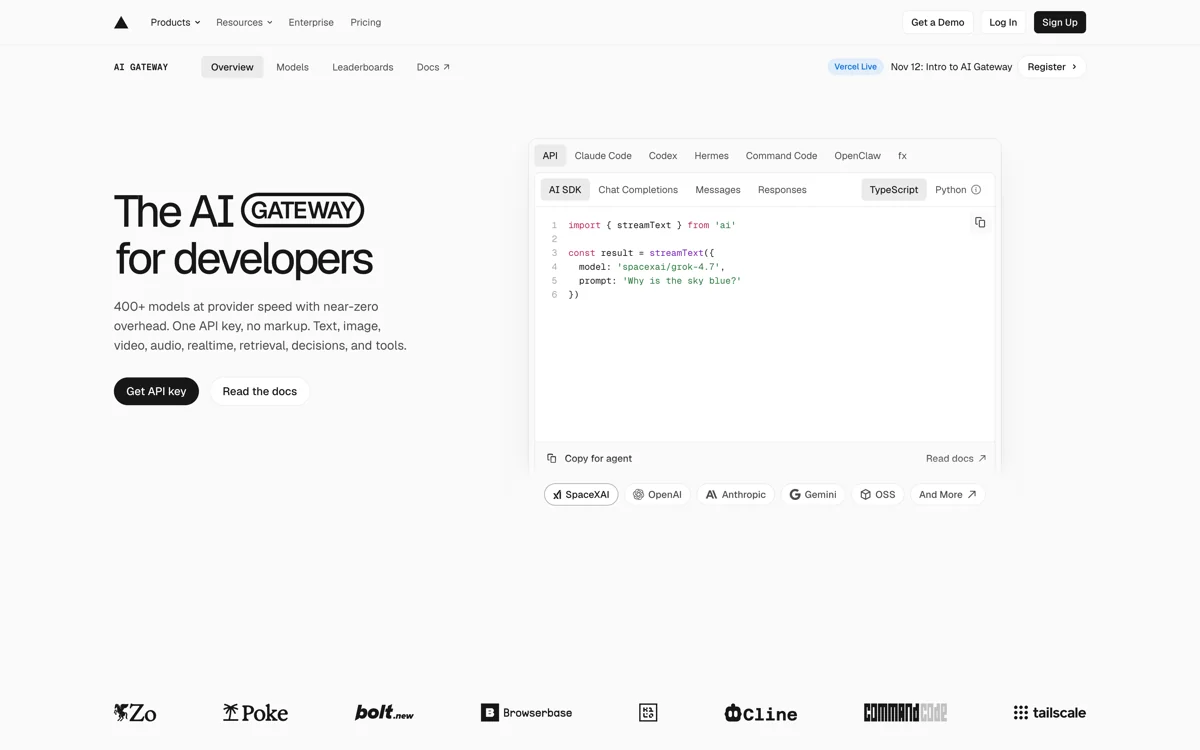
Vercel also offers a free tier with a monthly credit allowance, although it supports fewer models and has lower rate limits. The free monthly credit stops once you purchase credits.
The gateway supports OpenAI Chat Completions, OpenAI Responses, Anthropic Messages, and Vercel's own AI SDK. You can use it for text, image, video, speech, and transcription models, with automatic fallbacks between models and providers.
You can also set spending limits for individual teams, projects, API keys, and members. The gateway works with applications hosted anywhere, not just on Vercel.
There are two limitations to keep in mind. You need to purchase credits before you can use your own provider keys, and Vercel's spending limits don't cover requests made with those keys. If you use BYOK, you'll need to manage spending limits directly with each provider.
AI Gateways
AI gateways, also called LLM gateways, connect your app to AI providers using your existing API keys. Unlike hosted unified APIs, they typically don't charge for tokens directly. You continue paying each provider separately, while the gateway handles request logging, spending limits, rate limiting, and security policies. Examples include Portkey, Cloudflare AI Gateway, TrueFoundry, and Kong AI Gateway.
Portkey (Prisma AIRS AI Gateway)
Portkey is now part of Palo Alto Networks and is offered as Prisma AIRS AI Gateway. It's designed for companies that need centralized control over their AI requests, including routing, security, and monitoring.
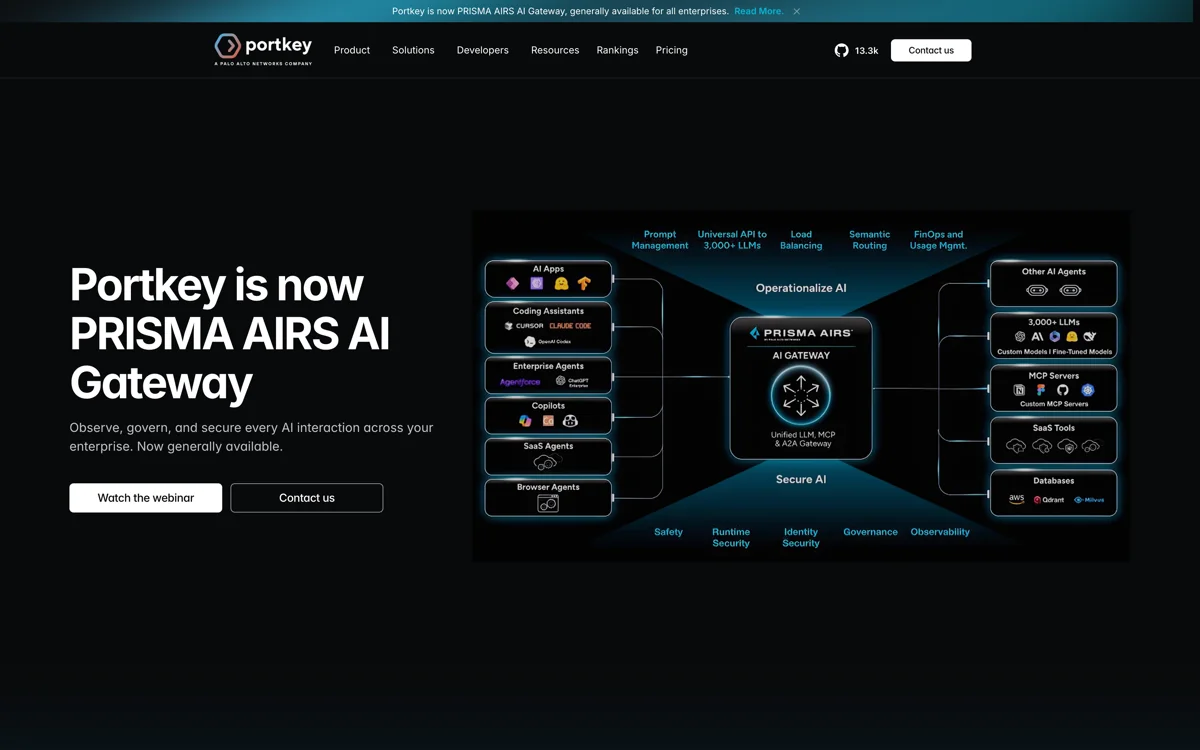
The gateway supports automatic fallbacks between models and providers, load balancing across API keys, conditional routing, retries, and caching. It also includes guardrails to filter requests and responses. You can connect through the OpenAI SDK using https://api.portkey.ai/v1 as the base URL.
Portkey is open source and can be self-hosted. The hosted Developer plan is free and includes 10,000 request logs per month. Requests still work after you reach that limit, but additional requests aren't logged. The Production plan costs $49 per month, while Enterprise supports private cloud and VPC deployments.
When to choose Portkey
Portkey is worth considering if your company needs a central place to monitor AI usage, enforce security policies, and manage requests across multiple providers.
Cloudflare AI Gateway
Cloudflare AI Gateway provides free analytics, caching, and rate limiting on all Cloudflare plans. It supports providers such as OpenAI, Anthropic, Google, and Workers AI, with an OpenAI-compatible Chat Completions endpoint that uses provider/model identifiers.
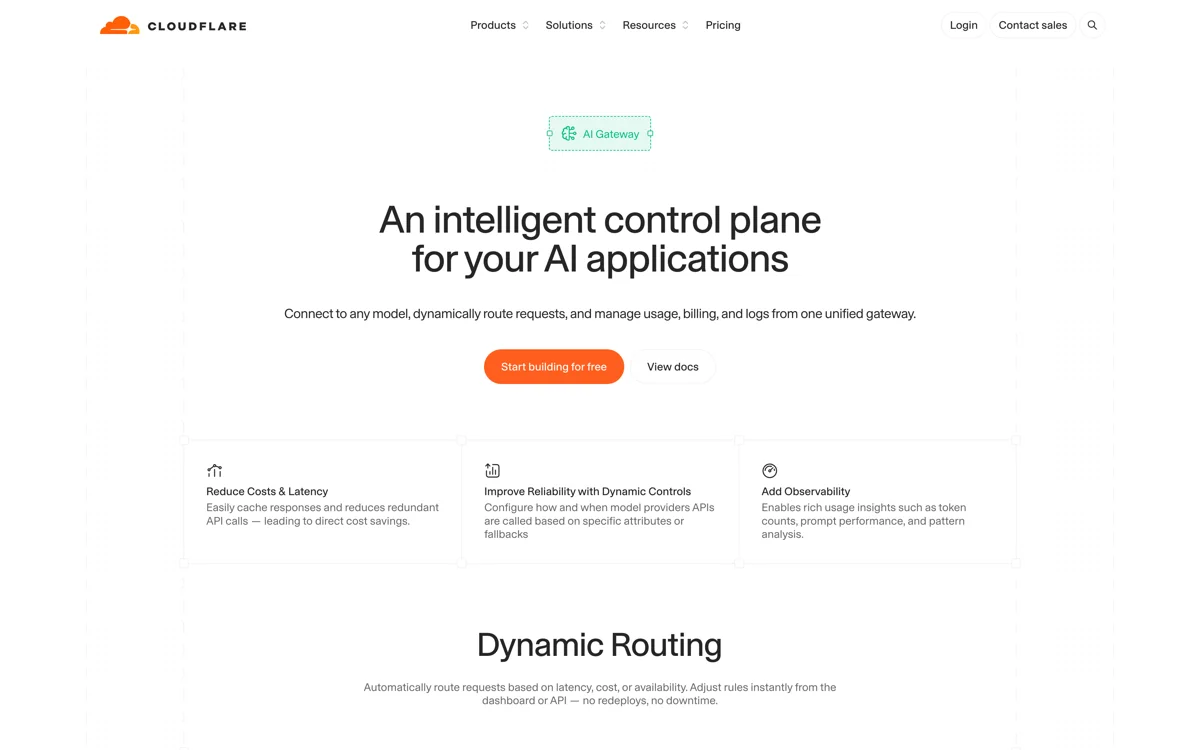
Unlike most AI gateways, Cloudflare also lets you purchase model usage directly through Unified Billing. You buy credits from Cloudflare, which charges a 5% fee on top of the credit amount. For example, $100 in credits costs $105. Model usage is billed at the provider's list price, without an additional markup. Unified Billing accepts credit cards only.
The free gateway features come with some limits. Request logging depends on your Workers plan, and guardrails are billed separately through Workers AI.
When to choose Cloudflare AI Gateway
Cloudflare AI Gateway is a practical option if you already use Cloudflare for your application and want to manage AI requests through the same platform. Unified Billing also lets you pay for multiple providers through one account.
For new OpenAI-compatible integrations, use Cloudflare's current REST API at /ai/v1/chat/completions. The older /compat/chat/completions endpoint is deprecated for single-model calls, although existing integrations continue to work. See the Cloudflare endpoint migration notes.
TrueFoundry
TrueFoundry offers both an LLM gateway and an MCP gateway, with request logging, spending limits, and guardrails. It doesn't charge a markup on model usage, so you pay providers directly for inference and TrueFoundry separately for the gateway.
The API supports the OpenAI SDK, with model IDs in the provider-account/model-name format.
TrueFoundry has a free Developer plan for up to three users, with 10,000 requests and tool calls per user each month. The Pro plan costs $25 per user per month and includes 20,000 requests and tool calls per user, pooled across the team. Additional usage costs $20 per 100,000 requests and tool calls. If you need to deploy the gateway in your own VPC or on-premises, or have specific data residency requirements, you'll need the Enterprise plan.
When to choose TrueFoundry
TrueFoundry is a good fit for companies that need both LLM and MCP gateways, especially those that want to host the infrastructure in their own cloud.
Kong AI Gateway
Kong AI Gateway is designed for teams already using Kong to manage their APIs. It lets you route AI requests through the same infrastructure, without setting up a separate gateway for LLMs.
The AI Proxy plugin accepts requests in the OpenAI format and translates them into the format required by each provider. Kong also supports load balancing, automatic failover, semantic caching, prompt filtering, and spending limits.
On Konnect Plus, AI Gateway starts at $25 per month plus usage, with 1 million requests included. Each connected LLM costs an additional $100 per month, with a limit of five models. Fully self-hosted deployments require Gateway Enterprise, which has custom pricing.
When to choose Kong AI Gateway
Kong makes the most sense if your team already uses Kong for API management and wants to add AI models to its existing infrastructure.
Self-Hosted and Open-Source Options
If you need an open-source OpenRouter alternative, look at self-hosted proxies. They work similarly to AI gateways, but you install and run the software on your own infrastructure. You manage the server and provider API keys yourself.
LiteLLM
LiteLLM is an open-source LLM proxy that you can host on your own infrastructure. It supports over 100 LLM providers through a single OpenAI-compatible API, so you can switch between providers without changing your application code.
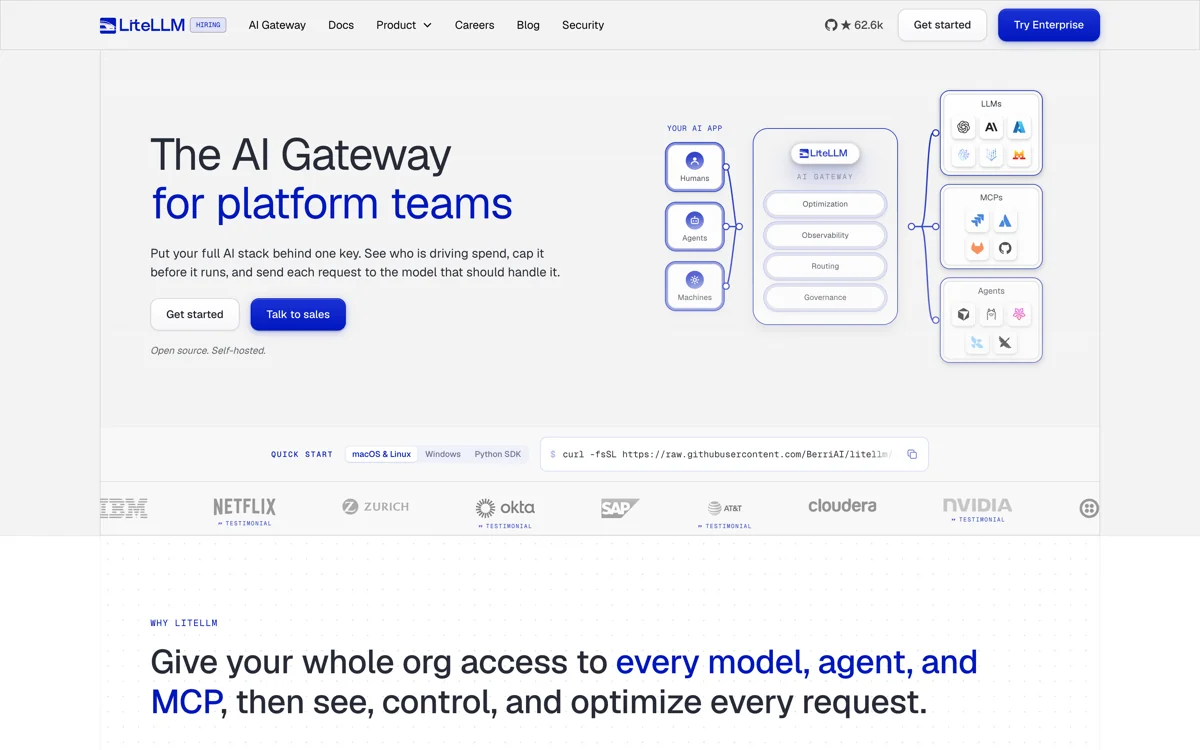
LiteLLM lets you create virtual API keys for individual users, teams, and projects, each with its own model access, spending limits, and rate limits. It also supports load balancing, automatic fallbacks, and retries when a provider becomes unavailable. For monitoring, you can connect tools such as Langfuse and Datadog.
The proxy is free under the MIT license, although some features, including SSO, audit logs, and multi-team management, require an Enterprise license. Production deployments also need PostgreSQL, and Redis is recommended for larger deployments.
OpenRouter vs LiteLLM
Unlike OpenRouter, LiteLLM doesn't sell API access to models. You host the proxy yourself and connect providers using your own API keys. You can also use both services together, since LiteLLM supports OpenRouter as a provider.
If you're looking for LiteLLM alternatives, consider Bifrost, an open-source AI gateway developed by Maxim AI. It's written in Go and also provides an OpenAI-compatible API.
When to choose LiteLLM
LiteLLM is a good option if you want full control over model routing, already have accounts with AI providers, and have the infrastructure to host the proxy. Keep in mind that you'll need to handle updates, monitoring, and server maintenance yourself.
Inference Providers: Together AI, Fireworks and Replicate
Inference providers host AI models on their own GPUs and sell API access directly. Services such as Together AI, Fireworks AI, and Replicate focus primarily on open-weight models and custom deployments, rather than routing requests to third-party model providers. In fact, some requests from OpenRouter are routed to these providers, so you can skip the middleman.
Working with an inference provider directly makes sense when you need fine-tuning, dedicated capacity or your own model, which a router can't give you. However, you lose access to closed models such as GPT and Claude, as well as automatic fallback to other providers.
Together AI
Together AI is an inference provider focused on open-weight AI models. It offers an OpenAI-compatible API at https://api.together.ai/v1, with support for chat, embeddings, images, and speech.
Together AI offers two ways to run models: serverless inference, where you pay per token, and dedicated endpoints, where you pay for GPU usage by the hour. You can also fine-tune models on your own data or rent H100 and B200 GPU clusters for training.
Although the API is compatible with the OpenAI SDK, not every OpenAI feature is supported. For example, fine-tuning uses Together AI's own API, and the OpenAI Batch API format isn't supported. Model IDs also differ, so you'll need to update them when migrating from OpenRouter.
When to choose Together AI
Together AI is a good option if you primarily work with open-weight models and want the flexibility to fine-tune them or deploy them on dedicated GPUs. If you also need proprietary models from OpenAI, Anthropic, or Google, a unified API like OpenRouter is more convenient.
Fireworks AI
Fireworks AI specializes in fast inference for open-weight models. It offers over 100 models for text, vision, audio, image generation, and embeddings, with support for both the OpenAI SDK and Anthropic SDK.
You can connect using the OpenAI SDK by setting the base URL to https://api.fireworks.ai/inference/v1. Fireworks also reports token usage in the final chunk of streaming responses, which makes it easier to track inference costs.
Serverless inference is billed per token, but you can also deploy models on dedicated GPUs with autoscaling. Fireworks supports batch processing and fine-tuning, including supervised fine-tuning and reinforcement learning for models with over 1 trillion parameters.
Fireworks vs OpenRouter
OpenRouter already offers access to Fireworks AI alongside other inference providers, so you don't necessarily need to integrate Fireworks directly to use its models. However, a direct integration gives you access to dedicated deployments, fine-tuning, and more control over inference performance.
When to choose Fireworks AI
Fireworks AI makes sense if you rely heavily on open-weight models and need fast inference, predictable throughput, or custom deployments. If you regularly switch between proprietary and open models, OpenRouter gives you more flexibility. You can also use both services, with Fireworks handling your main models and OpenRouter providing access to others.
Replicate
Replicate is a cloud platform for running AI models, including official releases, community models, and custom models you package using Cog. Unlike OpenRouter, which focuses on providing a unified API for existing models, Replicate also lets developers deploy their own models.
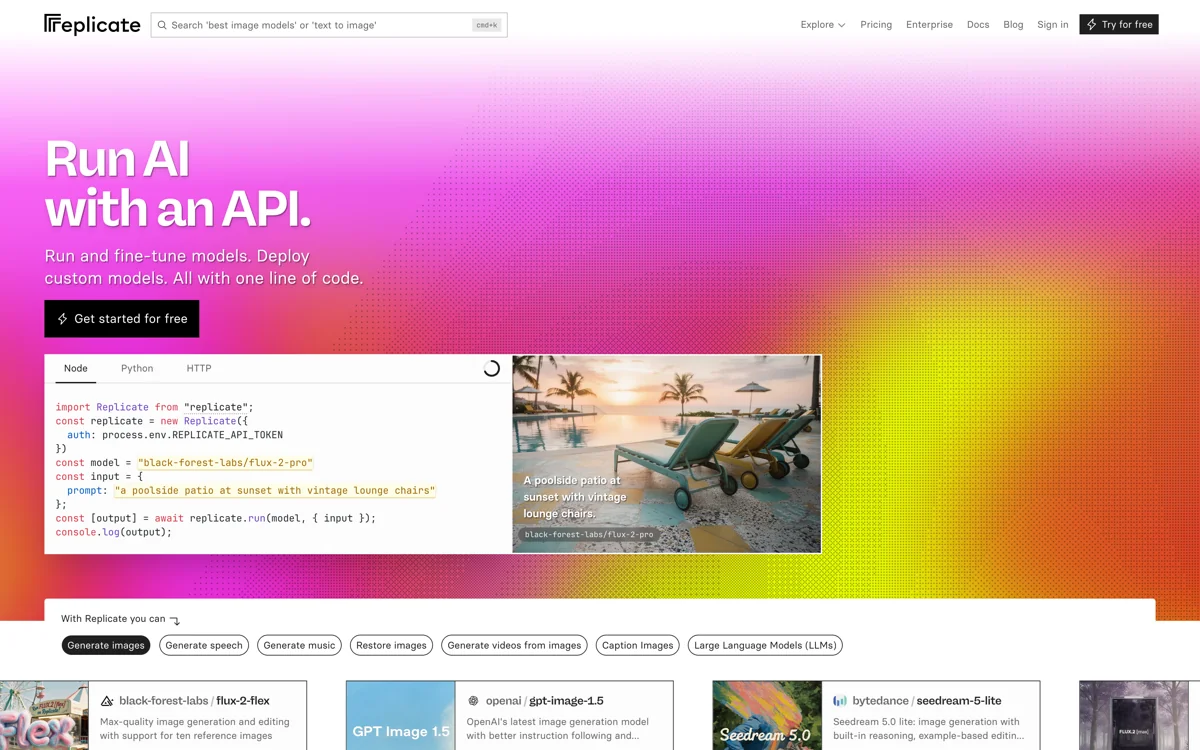
Pricing depends on the model. Most public models are billed by the second of GPU usage, while some official models charge per generated image, output, or token.
In December 2025, Cloudflare acquired Replicate. Replicate continues to operate under its own brand, and its existing APIs remain available.
Replicate vs OpenRouter
One important difference from OpenRouter is API compatibility. Replicate uses its own API built around model predictions, so you can't simply change the base URL in an OpenAI SDK application and expect it to work. You'll need to adapt your code to Replicate's API.
When to choose Replicate
Replicate is worth considering if you want to run a specific community model or deploy your own without managing GPU infrastructure. For applications that need access to many chat models through a single OpenAI-compatible API, OpenRouter is a better fit.
You can also check our full list of Replicate alternatives for other platforms that offer similar functionality.
Routing and Fallbacks Without OpenRouter
One feature worth checking when choosing an OpenRouter alternative is how it handles model routing and fallbacks.
OpenRouter lets you specify backup models in the models array and control which providers handle your requests through provider routing settings. Other platforms offer similar features, but they configure routing differently. You can't simply copy your OpenRouter settings to another API.
For example, AI/ML API has a built-in Dynamic Router (aimlapi/dynamic-router) that can select models based on the content of each request.
You can define up to 10 routing buckets, each containing up to 10 models. Each bucket has a description written in plain English, so you can tell the router which types of requests it should handle.
When a request arrives, a decision model chooses the most appropriate bucket. The router then tries the first model in that bucket. If it's unavailable or can't handle the request, the router moves to the next model.
Dynamic Router supports Chat Completions, the Responses API, Anthropic Messages, image generation and editing, and video generation. You can also use it as a simple fallback chain by creating just one bucket, which skips the decision step entirely.
There's another useful option: leaving a bucket's model list empty. If the router selects that bucket, the request stops without calling an inference model. This can be used to filter spam or unwanted requests.
Routing decisions are billed separately from inference, so you pay for both the decision model and the model that generates the response.
Testing AI/ML API's Dynamic Router
We tested the Dynamic Router with two buckets:
quick— for short questions, translations, and simple rewrites, using GPT-6 Luna with Claude Haiku 5.5 as a fallback.code— for coding and debugging tasks, using Claude Sonnet 5.5 with DeepSeek V4.1 Flash as a fallback.
Here's the configuration we used:
router = {
    "buckets": [
        {"name": "quick",
         "when": "Short factual questions, greetings, translations and quick rewrites",
         "models": ["openai/gpt-6-luna", "anthropic/claude-haiku-5.5"]},
        {"name": "code",
         "when": "Writing, reviewing or debugging code",
         "models": ["anthropic/claude-sonnet-5.5", "deepseek/deepseek-v4.1-flash"]},
    ],
}

response = client.chat.completions.create(
    model="aimlapi/dynamic-router",
    messages=[{"role": "user", "content": "What is the capital of Portugal?"}],
    max_completion_tokens=200,
    extra_body={"router": router},
)
meta = response.model_dump()["meta"]
print(meta["router"]["bucket"], meta["model"])
The router correctly classified our question about Portugal as quick and sent it to GPT-6 Luna. When we submitted a code review request, it selected the code bucket and Claude Sonnet 5.5.
We also tested whether fallbacks worked. For the same coding request, we set the output limit to 200,000 tokens, exceeding Claude Sonnet 5.5's maximum of 128,000. The router skipped Sonnet and sent the request to DeepSeek V4.1 Flash instead.
You can check which bucket and model handled a request in the response metadata: meta.router contains the selected bucket, while meta.model identifies the model that answered. The response doesn't list skipped models, so you'll need to track the model ID to monitor when fallbacks occur.
Testing Jev Router
AI/ML API also offers two preconfigured routers, Jev Router (typesafe/jev-router) and d1 Router (liquid/d1-router). Unlike Dynamic Router, they don't require you to define buckets manually. Both classify requests into three difficulty levels: light, standard, and heavy.
We tested Jev Router with three prompts:
| Task | Selected difficulty | Model |
|---|---|---|
| Translate a short sentence | Light | GPT-6 Luna |
| Write a PostgreSQL query and explain how it handles ties | Standard | GPT-6.1 Sol |
| Prove that n⁴ + 4ⁿ is composite for every n > 1 | Heavy | Claude Opus 5.5 |
In all three cases, Jev Router assigned the request to the expected difficulty level. This is useful when you want simple tasks to run on cheaper, faster models while reserving more capable models for complex requests.
In an example from the Jev Router calculator, with 45% easy, 40% medium, and 15% hard requests, routing costs 27% less than sending everything to GPT-6.1 Sol. Compared with running everything on Claude Opus 5.5, it costs 63% less. You can enter your own numbers in the calculator.
How Other OpenRouter Alternatives Handle Routing
AI/ML API isn't the only option for routing requests between models. Several of the gateways we covered earlier support similar functionality, although they generally require you to configure routing rules yourself.
Portkey lets you define fallbacks, load balancing, and conditional routing through gateway configurations. Vercel AI Gateway supports provider ordering and fallback model lists. LiteLLM handles fallbacks and retries through its proxy configuration, so you can manage the routing rules on your own infrastructure.
The main difference is how much control you want over model selection. If you want requests classified automatically by difficulty or task type, AI/ML API's routers can do that without building your own classification system. If you'd rather define routing policies yourself and manage them centrally, Portkey, Vercel AI Gateway, and LiteLLM offer that approach.
How to Migrate From OpenRouter
Switching from OpenRouter is fairly straightforward if you're already using the OpenAI SDK. We'll walk through the process using AI/ML API as an example.
1. Replace the API key and base URL
Start by replacing your OpenRouter API key and base URL with your new key, in this case generated in AI/ML API. You can keep using the OpenAI SDK, or connect through REST or the AI/ML API Python library. See the supported SDKs for details.
import os
from openai import OpenAI

# Before: OpenRouter
client = OpenAI(
    base_url="https://openrouter.ai/api/v1",
    api_key=os.environ["OPENROUTER_API_KEY"],
)

# After: AI/ML API
client = OpenAI(
    base_url="https://api.aimlapi.com/v1",
    api_key=os.environ["AIMLAPI_KEY"],
)

response = client.chat.completions.create(
    model="openai/gpt-6.1-sol",
    messages=[{"role": "user", "content": "In two sentences, explain what an LLM gateway does."}],
    max_completion_tokens=300,
    reasoning_effort="low",
)
print(response.choices[0].message.content)
2. Check your model IDs
Many popular models use the same IDs on both platforms, but some have different names. Check the model catalog before migrating.
3. Remove OpenRouter-specific settings
OpenRouter has several request parameters that may differ on the new platform. For example, when migrating to AI/ML API, some of the ones you'll need to change are:
| Setting | Test result | What to change |
|---|---|---|
models (fallback array) | Silently ignored | Use Dynamic Router or implement fallbacks in your code |
provider (routing object) | 400 Bad Request | Remove |
HTTP-Referer and X-OpenRouter-Title | Ignored | Remove |
Pay particular attention to the models array. Your requests will still work if you leave it in place, but the fallback models won't be used, and you won't receive an error.
4. Test streaming, tool calls, and error handling
Your existing OpenAI SDK features will continue to work as expected, including token usage reporting when you set stream_options={"include_usage": True}:
stream = client.chat.completions.create(
    model="openai/gpt-6.1-sol",
    messages=[{"role": "user", "content": "In two sentences, explain what an LLM gateway does."}],
    max_completion_tokens=300,
    reasoning_effort="low",
    stream=True,
    stream_options={"include_usage": True},
)
for chunk in stream:
    if chunk.choices and chunk.choices[0].delta.content:
        print(chunk.choices[0].delta.content, end="")
    if chunk.usage:
        print("\n", chunk.usage)
Error handling also follows the standard OpenAI SDK format:
- Invalid API key:
AuthenticationError(401) - Unknown model:
NotFoundError(404) - Unsupported
providerparameter:BadRequestError(400)
This means existing exception handlers should continue working.
5. Use the Anthropic SDK for Claude models
AI/ML API also supports the Anthropic Messages API, so you can use Claude models through the Anthropic SDK:
import os
import anthropic

client = anthropic.Anthropic(
    api_key=os.environ["AIMLAPI_KEY"],
    base_url="https://api.aimlapi.com",
)
message = client.messages.create(
    model="anthropic/claude-sonnet-5.5",
    max_tokens=200,
    messages=[{"role": "user", "content": "In two sentences, explain what an LLM gateway does."}],
)
print(message.content[0].text)
This also provides a way to connect tools built around the Anthropic SDK, including Claude Code.
6. Check image, video, and audio endpoints
Image generation works through the OpenAI SDK. For example, for FLUX.2 Klein 4B with client.images.generate, you only need to change the model ID.
Video and speech generation use separate REST endpoints. For example, video generation starts with POST /v2/video/generations, which returns a job ID you can poll to retrieve the finished video.
7. Move traffic gradually
Before switching completely, send a small percentage of requests to your new inference provider and compare latency, errors, and token usage against OpenRouter. Increase traffic once you've confirmed that your models and fallbacks work as expected.
When to Stay on OpenRouter
OpenRouter is still worth using if it has the models you need and you're comfortable with its pricing. For credit purchases of roughly $15 or more, the standard fee is 5.5%. You get access to models from over 80 providers, free models for testing, and automatic failover between providers.
You can also use OpenRouter alongside other services. For example, you might route some requests through AI/ML API, use LiteLLM to manage provider keys on your own infrastructure, and connect directly to Fireworks AI for a fine-tuned model. OpenRouter can remain available as a fallback or for models that other services don't offer.
Frequently Asked Questions
Are there free OpenRouter alternatives?
Yes. LiteLLM and Bifrost are free, open-source proxies, and you can also self-host Portkey's gateway. You'll still pay model providers for the tokens you use. For hosted options, Requesty offers 200 requests per day to free models, Vercel AI Gateway includes monthly free credits for every team, and Cloudflare AI Gateway offers its core features for free. AI/ML API also has free models, such as Nemotron 3.5 Lightning, which you can use once you add a valid card to your account.
Is LiteLLM similar to OpenRouter?
Yes. Both let you access models from multiple providers through a single OpenAI-compatible endpoint. The main difference is that LiteLLM runs on your own infrastructure and uses your provider API keys, while OpenRouter is a hosted service that handles billing for you.
Does OpenRouter mark up model prices?
No. OpenRouter charges the same inference rates as the model providers. Instead, it charges a fee when you purchase credits: 5.5% (minimum $0.80) on the Standard plan and 8% on the Business plan. AI/ML API publishes rates for each model in its pricing catalog and doesn't charge a fee for adding credits.
Did Stripe buy OpenRouter?
Stripe announced an agreement to acquire OpenRouter on August 19, 2026, and the announcement describes an agreement rather than a completed transaction. Neither the deal terms nor a closing date were disclosed.